Stutter
AudioRepeats short slices of audio in tempo-synced bursts.
Creative audio and visual glitch effects — stutter, tape stop, datamosh, VHS, and more
./build/vivid install https://github.com/seethroughlab/vivid-glitch.git
Overview
vivid-glitch is a package library of creative audio and visual glitch effects for Vivid. It covers beat-aware audio destruction, video corruption, and meta-effects that recombine those building blocks.
README.md is the package overview used by the central Vivid docs siteoperators/graphs/ are the active smoke and demo surfaceStutterTapeStopBeatRepeatReverseScratchStretchFreqShiftGlitchJPEG GlitchPixel SortBlock DisplacementScan DistortChannel ShiftVHSStatic GlitchDatamoshVisual Glitch./build/vivid install https://github.com/seethroughlab/vivid-glitch.git
From vivid-core:
./build/vivid link ../vivid-glitch
./build/vivid rebuild vivid-glitch
Use the package demo graphs as the current reference surface:
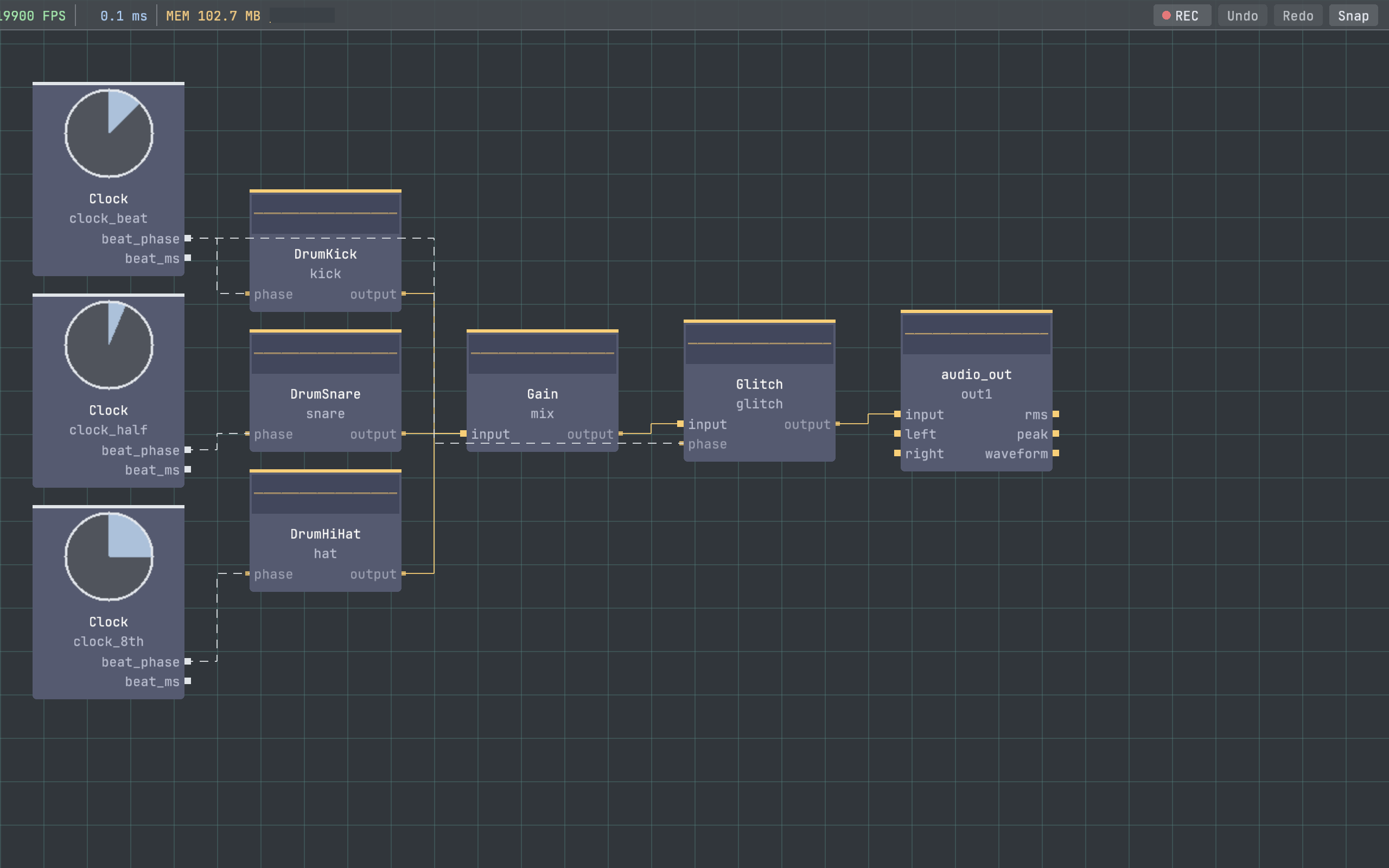
graphs/glitch_demo.json — visual glitch chain overviewgraphs/av_glitch_demo.json — combined audio and visual glitch workflowFor beat-aware audio workflows, route a current audio-world beat source such as clock_au/beat_phase into the glitch operator's phase input.
gpu_operators in vivid-package.json.Before pushing changes:
test_demo_graphs against this package's graphs/ directory.MIT.
Operators
Repeats short slices of audio in tempo-synced bursts.
Emulates tape-style slowdowns and restarts on incoming audio.
Repeats captured audio slices with beat-aware timing and repeat decay.
Plays short windows of the input backward with smooth transitions.
Applies DJ-style varispeed scratching to short captured audio segments.
Time-stretches incoming audio with granular replay.
Applies frequency shifting with optional modulation.
Source-derived documentation for Glitch.
Simulates JPEG-style block corruption and color breakup.
Reorders image pixels into directional sort streaks.
Offsets and duplicates rectangular regions of the image.
Distorts scanlines with animated horizontal displacement.
Offsets color channels independently for chromatic glitching.
Simulates VHS-era tracking, bleed, wobble, and tape noise.
Adds static, interference, and scanline instability to the image.
Blends motion and frame persistence to simulate datamoshing.
Randomly combines multiple visual glitch effects in one GPU meta-operator.